Escalating a Stuck Invoice Inside a Customer's Procurement Portal
Diagnose where your invoice sits and escalate to the right owner at each aging stage.
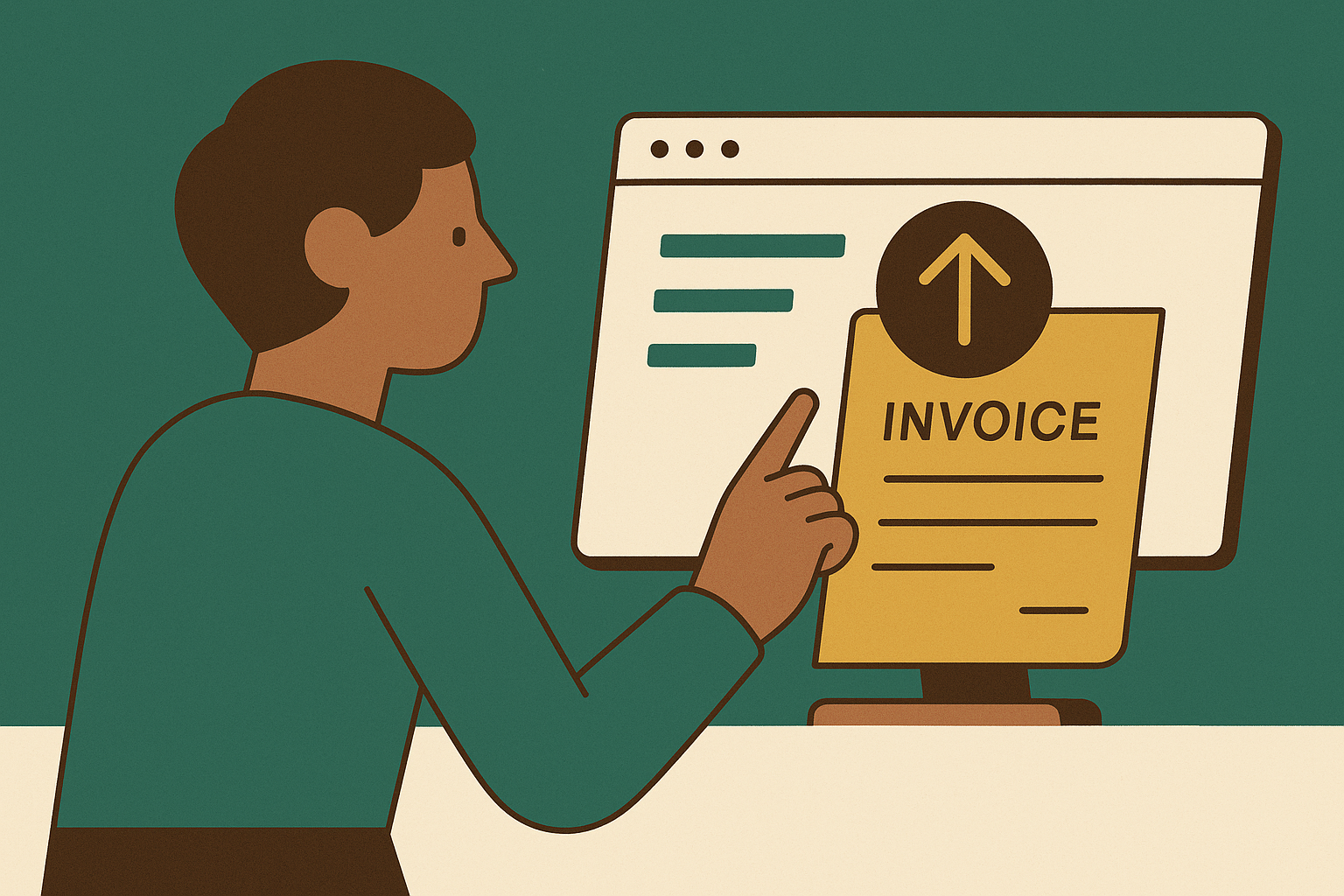
A stuck invoice inside a procurement portal is a process problem, not a signal that your customer doesn't want to pay. Getting it moving again takes a deliberate escalation sequence: diagnose where the invoice actually sits, identify the right person on the customer's side, and apply pressure in stages that match how long the invoice has been aging. Do that, and most stalls clear without anyone raising their voice.
Why invoices stall inside procurement portals — and why the usual fixes miss the point
Supplier portals were built to make purchasing easier for buyers. They enforce each buyer's preferred data format, approval chain, and compliance rules. Making collection easier for suppliers was never part of the design goal, and that misalignment is the root of most stalls. Every tactical move that follows in this piece only makes sense once you accept that.
Three distinct failure types cause an invoice to stop moving. Structural portal rigidity is the first: each portal enforces its own field requirements, so an invoice that sails through one system fails in another. A single missing or malformed field can trigger automatic rejection, often with no explanation at all. Broken feedback loops are the second: the invoice disappears into the portal with no status change, leaving the supplier to check manually, over and over, hoping something shifts.
The third failure type is really a consequence of the first two, and it costs the most money. When an invoice is rejected, corrected, and resubmitted, the customer's payment terms restart from the corrected submission date. A Net 30 invoice that sat unresolved for three weeks doesn't suddenly become due. A supplier can lose a month of cash flow without ever realizing they handed it away.
The usual fix is more follow-up email, sent from a billing tool that has no visibility into the portal. That's like calling a restaurant to ask if your online order went through while standing outside the wrong building. The invoice sits invisible inside the customer's system while the supplier watches an inbox for a reply that was never coming.
Distinguishing a stuck invoice from a disputed one before escalating
The escalation path branches on one question: is the invoice waiting for a process to move it forward, or is there a real problem to resolve before approval can continue? ApprovalMax draws this line cleanly. A routing delay means a valid invoice is sitting in a queue, waiting for the process to push it ahead. An exception delay means something substantive has to be fixed first. The fix for each is completely different, and email treats both the same way. That's why email-only follow-up fails.
A routing delay shows up with practical signals you can spot. The portal displays "received" or "in process" but no approver has taken action. No rejection notice or error code has been issued. When all three line up, the invoice is probably just waiting its turn. Nudging a process is an AP team's job.
An exception or dispute shows up differently. AppZen's 2026 analysis maps the main exception types to the people who can actually resolve them. A price variance belongs to the buyer who agreed the price. A quantity variance belongs to receiving and the requester. A missing goods receipt is the requester's problem. A missing or invalid PO belongs to procurement and the requester. Duplicate suspicion sits with AP outright. Unknown or unmatched vendor exceptions go to the vendor master team.
Here's the failure mode when exceptions get misrouted. The team that finds an exception is rarely the team that can close it. That doubles elapsed time before anyone who can help has even looked at it.
There's a third case that masquerades as a portal problem. The supplier loses weeks before realizing the channel itself is the issue, not a refusal to pay. The invoice was never actually in the queue.
Reading portal status codes and locating where in the workflow the invoice is sitting
Portal status labels are the buyer's internal vocabulary, not neutral descriptions. A supplier who sees "under review" and assumes progress may be missing the truth: the invoice has been sitting in an exception queue, untouched, for two weeks. The label describes a location, not a speed.
Every supplier needs to learn the translation for any portal they work in regularly. "Received" or "submitted" means the portal has the file but matching hasn't started. "In process" or "under review" means the invoice passed intake and routing or matching is underway. The question is whether it's moving or parked in a queue with no owner.
"Exception" or "on hold" is where invoices go to age. The invoice has been flagged and needs human intervention. AppZen notes that close to one invoice in five stops for a human decision. "Rejected" means the invoice was formally returned, and the payment clock may reset on resubmission. "Approved" or "scheduled for payment" means the invoice cleared approval. If payment doesn't follow within the stated terms, the problem has moved from AP to treasury or a system posting failure.
Coupa and Ariba, two of the most common enterprise portals, show this limitation in practice. The portal tells you where the document is. It rarely tells you who is sitting on it.
When the portal offers no useful detail, pull the invoice's internal timeline before contacting anyone. Submission date, rejection timestamps, resubmission date. Arrive at a conversation without that data and the AP contact has to look it up while you wait on hold. You've made your own escalation slower for no reason.
Mapping the customer's internal ownership structure before making contact
Escalating to the wrong person is not a neutral move. It signals to the customer that you don't understand how their organization works. Worse, it can send the invoice back to the beginning of the queue, where it loses its place and starts over.
The ownership map for an invoice exception has layers, and each exception type from the diagnostic step maps to a different owner. The AP team owns invoice intake, duplicate checks, and payment scheduling. They're the right first contact for status confirmation and rejection reason codes. They are not the right escalation target for approval holds or PO problems.
Procurement or purchasing owns PO validity, price variances, and quantity discrepancies. The budget holder or department head owns approval when the designated approver is unavailable, on leave, or when the invoice amount requires a higher sign-off. ApprovalMax identifies the designated approver being unavailable, with no delegation or backup defined, as one of the six core causes of invoice approval delay. The vendor master or supplier onboarding team owns banking detail mismatches, W-9 issues, and unknown-vendor exceptions. AppZen is explicit: unknown-vendor exceptions must never go to the AP processor who happened to receive the invoice.
Finding the right name, not just the right function, is faster through a channel you already have. The supplier's sales or account management contact is often the shortest path to the correct internal owner. They can route the escalation request internally without requiring you to navigate the customer's org chart cold.
Document every contact you make. When the escalation needs to go further, that log is your evidence base. It also keeps you from asking the same person the same question twice, which is its own small relationship tax.
The staged escalation sequence: what to do at each interval when the invoice does not move
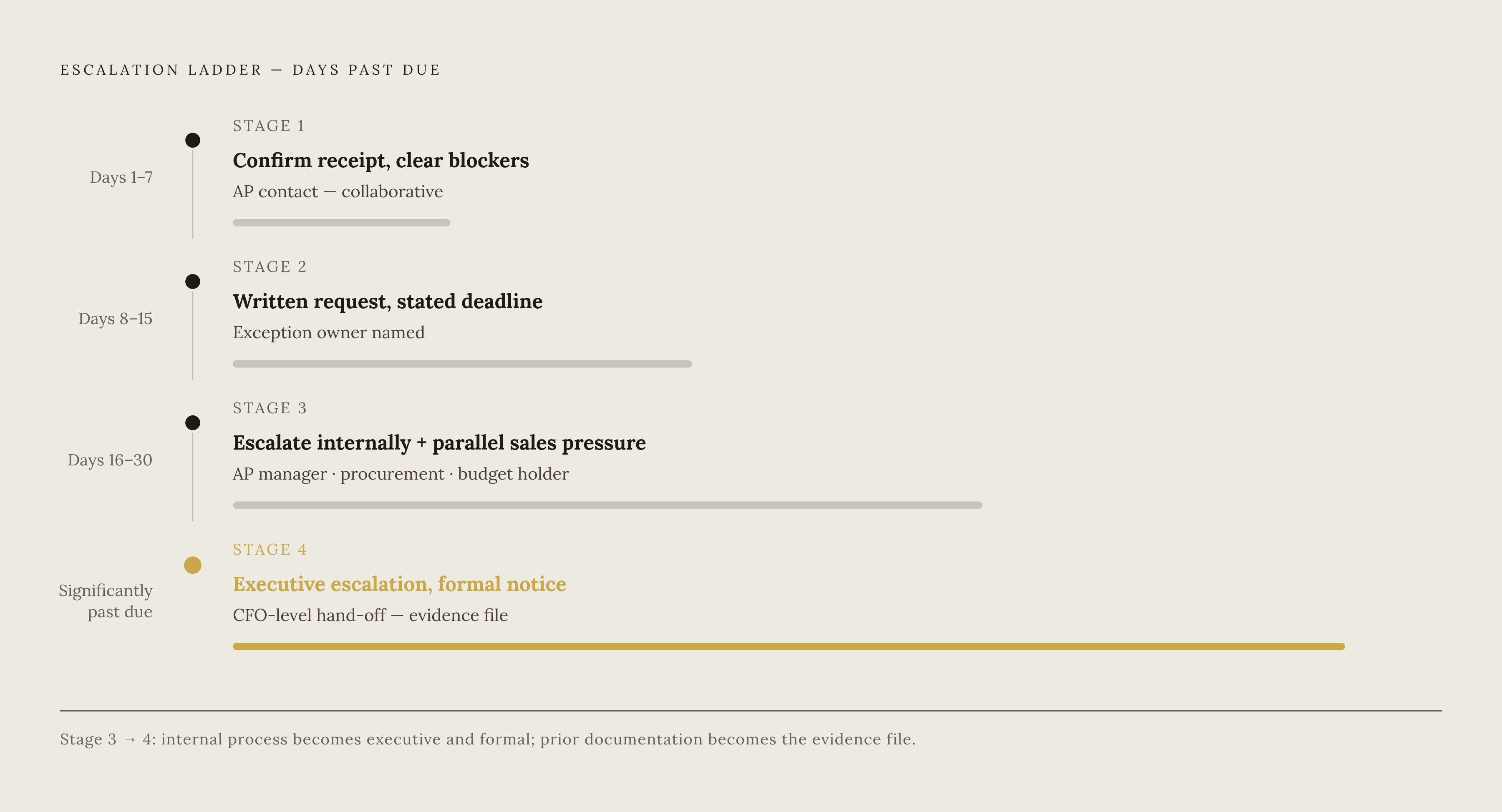
Escalation pressure should increase in stages tied to elapsed time. Each stage demands a more senior contact and a more explicit commitment. Linger too long at early stages and the invoice ages past the point where anyone feels urgency. Stage 1, days one through seven past due, is about confirming receipt and clearing technical blockers. Be precise: invoice number, amount, submission date, due date.
If a rejection reason comes back, assess whether it's a genuine error on your side or a portal formatting requirement. Correct genuine errors immediately. The tone here is collaborative and informational. You're not applying pressure yet. You're ruling out the dumb stuff.
Stage 2, days eight through fifteen, moves from checking in to a written payment request. Send an email, at minimum, stating the invoice number, amount, original due date, and a clear response deadline. That creates a paper trail that matters later. If the invoice is in an exception queue, name the specific exception type and the owner responsible for clearing it, based on your ownership map. Without a service-level agreement attached to each exception class, an exception ages until the supplier escalates. At this stage, you're imposing your own SLA by putting the deadline in writing.
Stage 3, days sixteen through thirty, means escalating to someone with authority to release payment. The AP team contact no longer has the pull to resolve something that's been open this long. Move to the AP manager, the procurement manager, or the budget holder, depending on which exception type is in play. If the customer can't name the specific issue, the invoice is not legitimately in dispute.
Use the sales or account management relationship for parallel pressure. If the clock reset, document it and factor it into your DSO forecast. Don't assume the original due date still applies.
Stage 4 kicks in once the invoice is significantly past due. This is executive escalation and formal notice. The conversation moves up to your leadership and theirs. What you did earlier, the documentation, the paper trail, the named owners, now becomes the file you hand to your CFO. Invoice Butler does that by building an audit trail across both portal and email channels, pinpointing the failure type before a human picks up the phone. Beyond that stage, the options are legal remedies, and this article is not about those.
The resubmission trap and how to avoid resetting your own payment clock
Resubmission is not a neutral corrective action. When an invoice is rejected and resubmitted, the customer's payment terms may restart from the corrected submission date. You can convert a near-due invoice into one with a full new payment cycle ahead of it without intending to. That's the trap, and it's easy to walk into.
The resubmission loop is the most exhausting failure mode for AR teams. A team identifies an error, corrects it, resubmits, and the invoice gets rejected again. Without clear error codes, the team guesses at the fix and may reset the clock multiple times. Each cycle adds weeks, not because anyone is being difficult, but because no one can see what the portal wants.
Break the loop before you resubmit. Get the rejection reason in writing. Never resubmit on a verbal explanation. If the portal doesn't generate a rejection code, ask the AP team to email you one. Then confirm the stated rejection reason is the only open issue. Ask explicitly: "If I correct this field, is there any other reason this invoice would be rejected?" That sentence has saved more resubmission cycles than any automation tool.
Confirm the resubmission date in writing and ask the customer to confirm the new due date under their payment terms. That creates a documented record of the reset clock. It also tells the customer you're watching the clock, which changes how they treat the resubmission. Don't trust the portal's public documentation, which is often incomplete.
One of the defined exception types that stalls invoices in matching is a missing or invalid PO, where the PO reference is blank, closed, or already fully consumed. Checking PO validity before resubmission eliminates the most avoidable loop. You can fix this before you ever click submit, and it costs you nothing.
What actually prevents portal stalls from becoming a recurring problem
The escalation playbook is necessary. But a supplier who escalates the same invoice types repeatedly with the same customers is managing a symptom. The root cause is a missing pre-submission compliance layer and an AR process with no structured escalation ownership built in from the start. You can build that layer, and it's less work than the escalations it prevents.
Start with a per-portal invoice requirements guide. For every major procurement portal you use, maintain a documented checklist of required fields, accepted formats, and submission channels. Validate it against successful past submissions, not the portal's public documentation. Your own history is the only reliable source of truth.
Push for structure on the customer's side where you can. ApprovalMax finds that separating routing delays from exception delays, and giving every exception a named owner, clears clean invoices immediately while preventing exceptions from aging invisibly. A customer who has this structure pays you faster, which means they're a better customer for you. A supplier can advocate for it without being a nuisance.
Attach a service-level agreement and a reason code to every exception class. AppZen is direct about this: without cause data, it's impossible to tell whether one supplier, one buyer, or one tolerance setting generates the majority of rework. You can't fix what you can't classify. That's true for the customer's AP team and it's true for yours.
The operational expression of all of this is an AR function that treats portal management as collections work, not data entry. Pure automation doesn't provide that. A team that has internalized the entire sequence in this piece and runs it at scale, that's what a well-run AR function does as standard operating procedure, not as a last resort.